
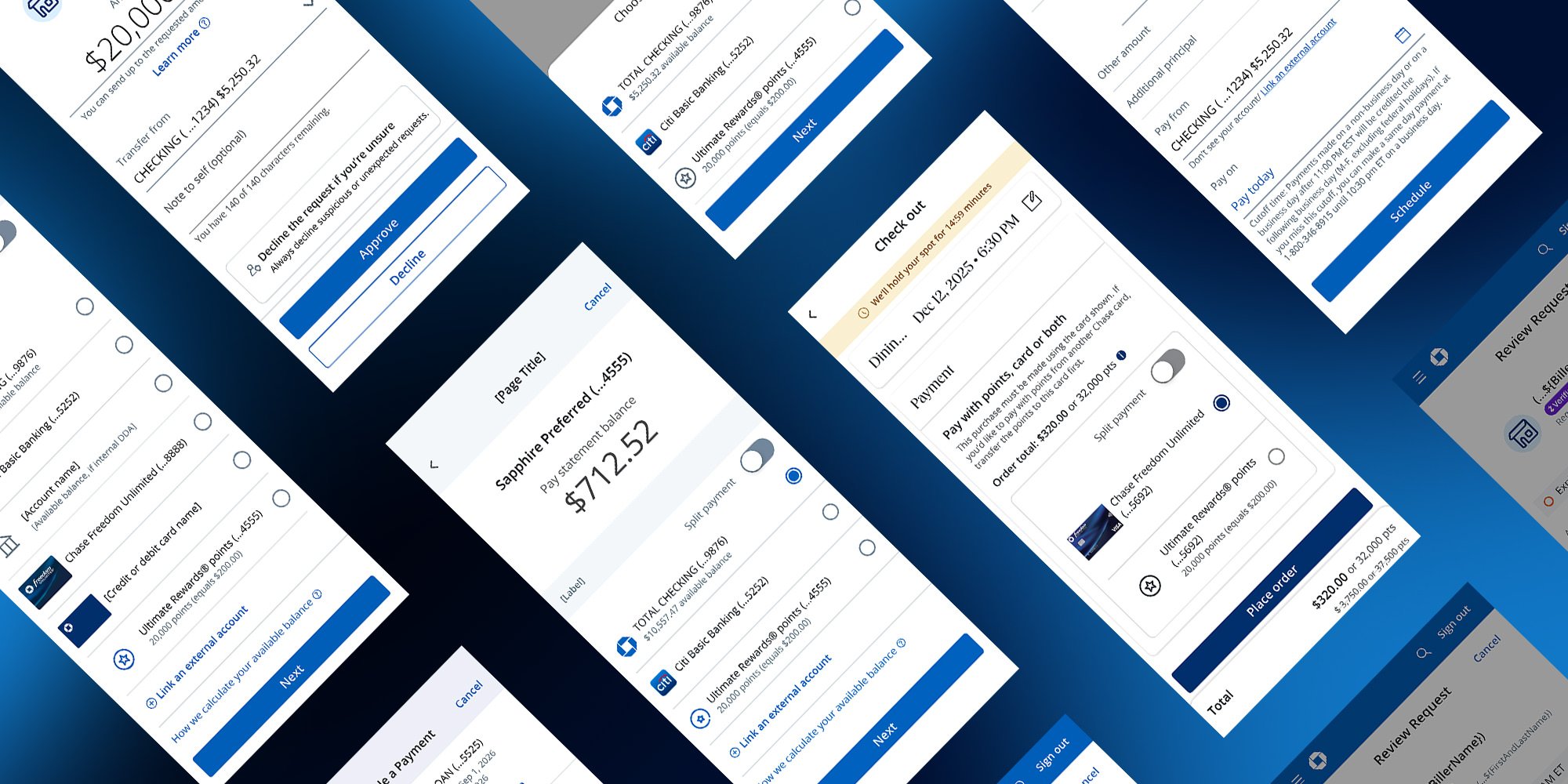
JPMorgan Chase Wallet UI Integrations | 2026
Unifying banking payment and commerce journeys under one payment language, across the entire Chase ecosystem—for the first time.
I led the UI integration of SafePay—Chase’s centralized digital wallet—across Banking and Commerce platforms, turning fragmented payment experiences into a single, scalable system adopted by Chase’s core Payment Design Library.
100%
Designer alignment across all Banking Payment journeys
10+
Payment journeys integrated—Zelle, Bill Pay, Wires, and more
PDL
SafePay adopted into Chase’s Payment Design Library
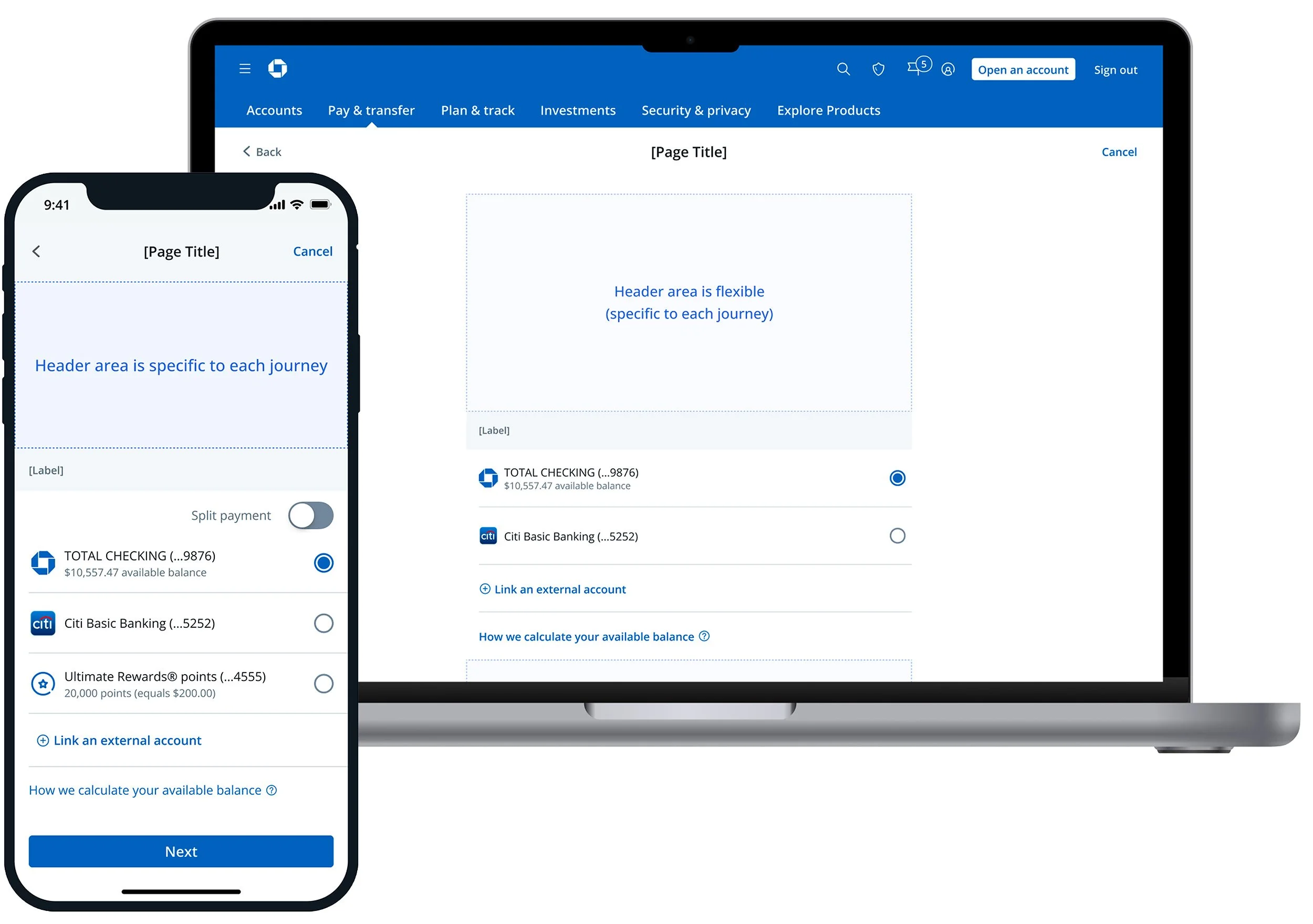
Mobile and Desktop modality example
01 — The Problem
Adoption was stalling—and design wasn’t the root cause.
When I joined the SafePay team, the platform had already been built and validated. The problem wasn’t the product—it was that journey teams across Chase weren’t using it. SafePay’s value had never been clearly connected to their workflows, and solutions had been designed without sufficient downstream input.
Integration Gaps
SafePay UI components existed, but no clear path had been established for how journey teams should integrate them—leading to mismatches and workarounds.
Low Team Engagement
Banking payment journey designers had limited involvement in SafePay’s development, creating skepticism and resistance to adoption.
Unclear Value
The benefit of using SafePay over custom solutions was never articulated in terms journey teams could act on.
No Alignment Structure
There was no process to bring design, product, and engineering together across journeys to resolve shared UI decisions.
02 — My Role
Executive Director, Experience Design
JPMorgan Chase · Consumer & Community Banking
My Leadership & Approach
I set the end-to-end integration strategy, built trust with executive stakeholders through weekly quad partner meetings and dedicated 1:1s, and designed the alignment framework that ultimately unblocked 10+ journey teams. I coordinated with Legal and ADA teams to ensure compliance and accessibility were built in from the start.
I led the strategic framing while empowering the VP of Design to own day-to-day execution—a deliberate structure that kept leadership visible at the right moments without micromanaging delivery.
03 — Context
What is SafePay?
SafePay is Chase’s centralized digital wallet—a single UI system that surfaces all Methods of Payment (MoPs) across every Chase banking and commerce journey. Rather than each team building their own payment UI, SafePay provides a shared, modular component library that works across native iOS, Android, and desktop web (CxO).
Customers can pay via checking and savings accounts, credit and debit cards, Ultimate Rewards® points, and split tender combinations. The UI adapts its format to each context—full page, bottom sheet, dropdown, container—keeping the experience consistent without being rigid.
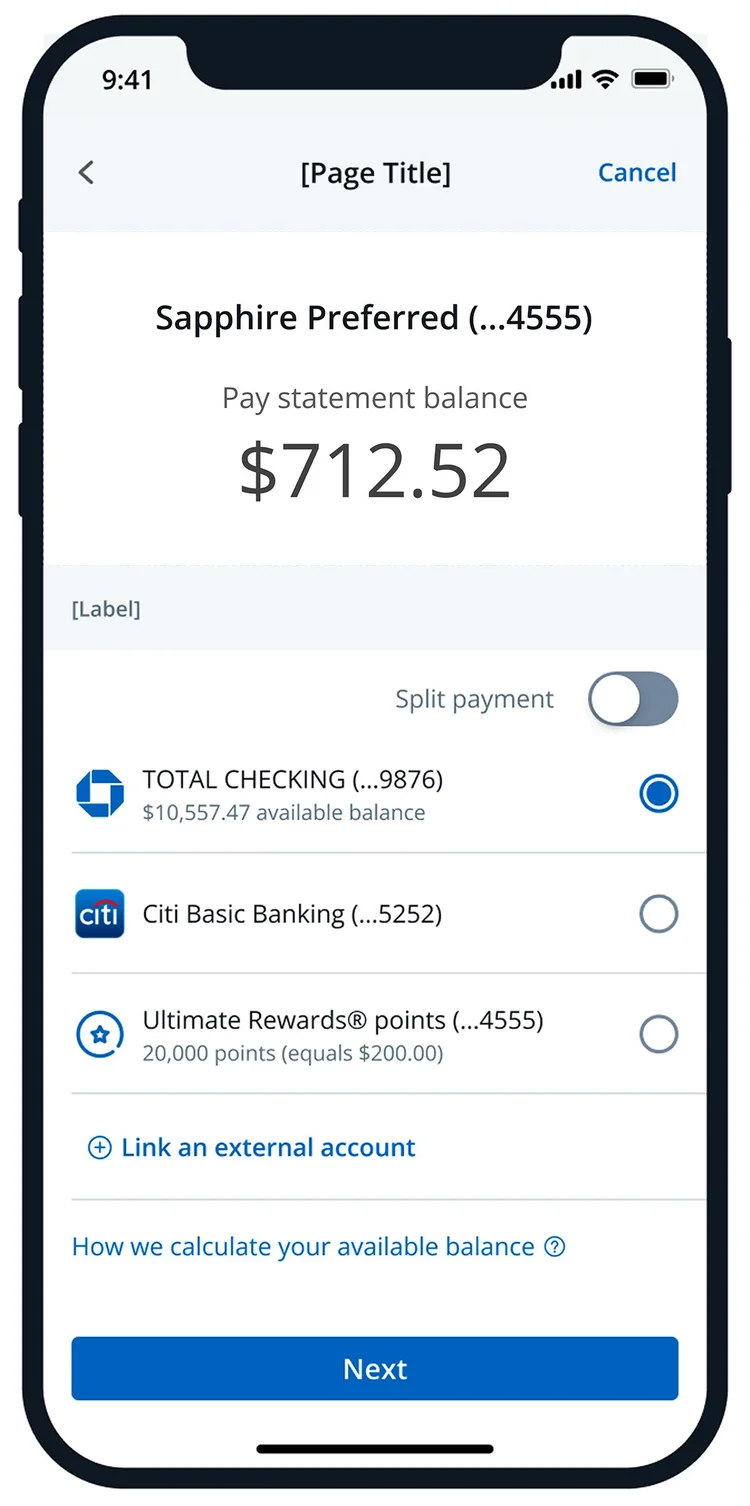
Pay Chase Card example
Full Page Native Mobile
This modality is designed for experiences where:
- The journey requires complex features such as split tender or Chase Pay Over Time
- Users need contextual information in the header area to support
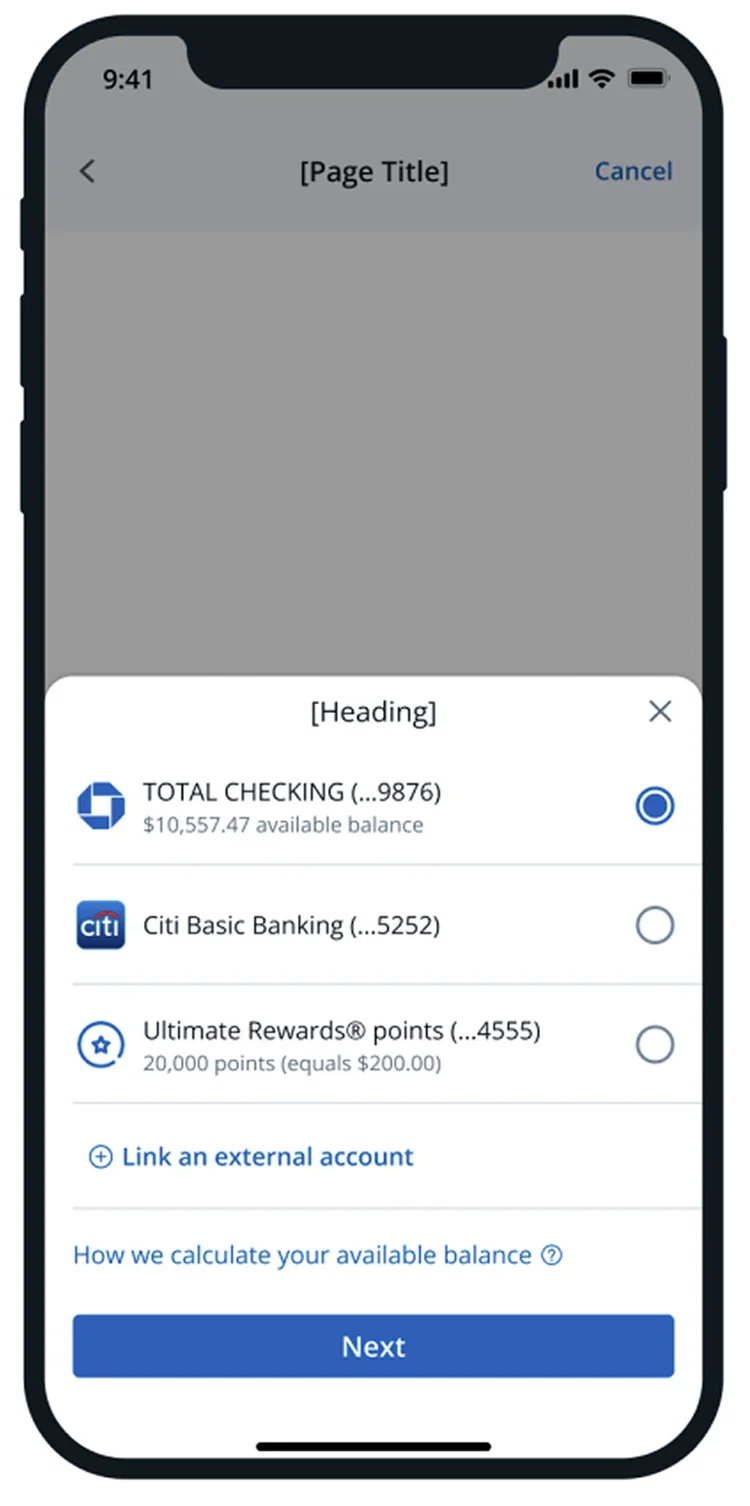
Bottom Sheet Native Mobile
This modality is designed for experiences where:
- A full new page would cause unnecessary friction in the overall flow
- Users can select a payment method without any additional supporting context
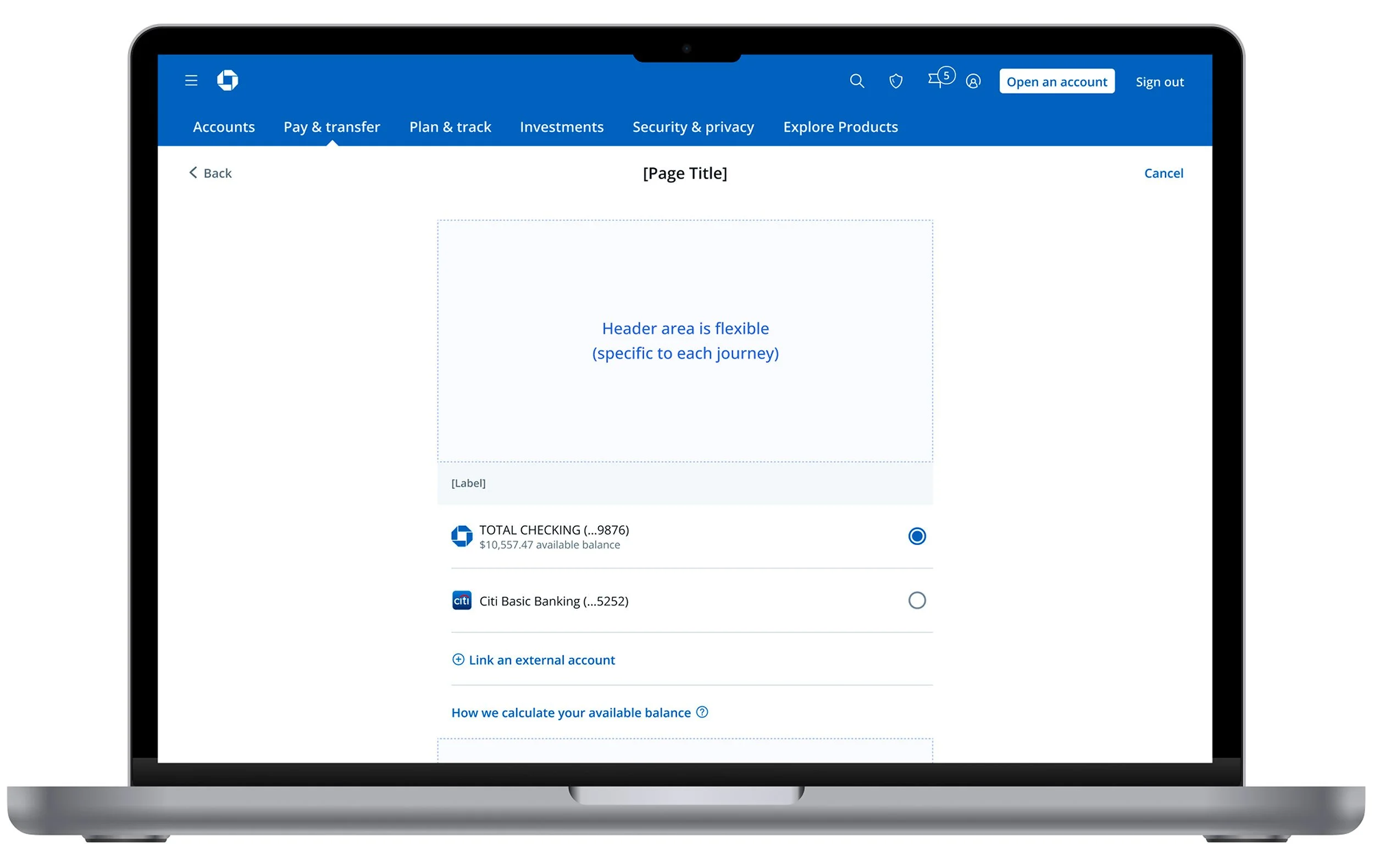
Container Modality Used When:
- The user interaction is complex and requires additional content such as split tender or buy now pay later (BNPL)
- The user needs to focus solely on payment method selection
- The journey anticipates new feature announcements or educational content around payment selection
- A dedicated space is needed to support complex payment decisions
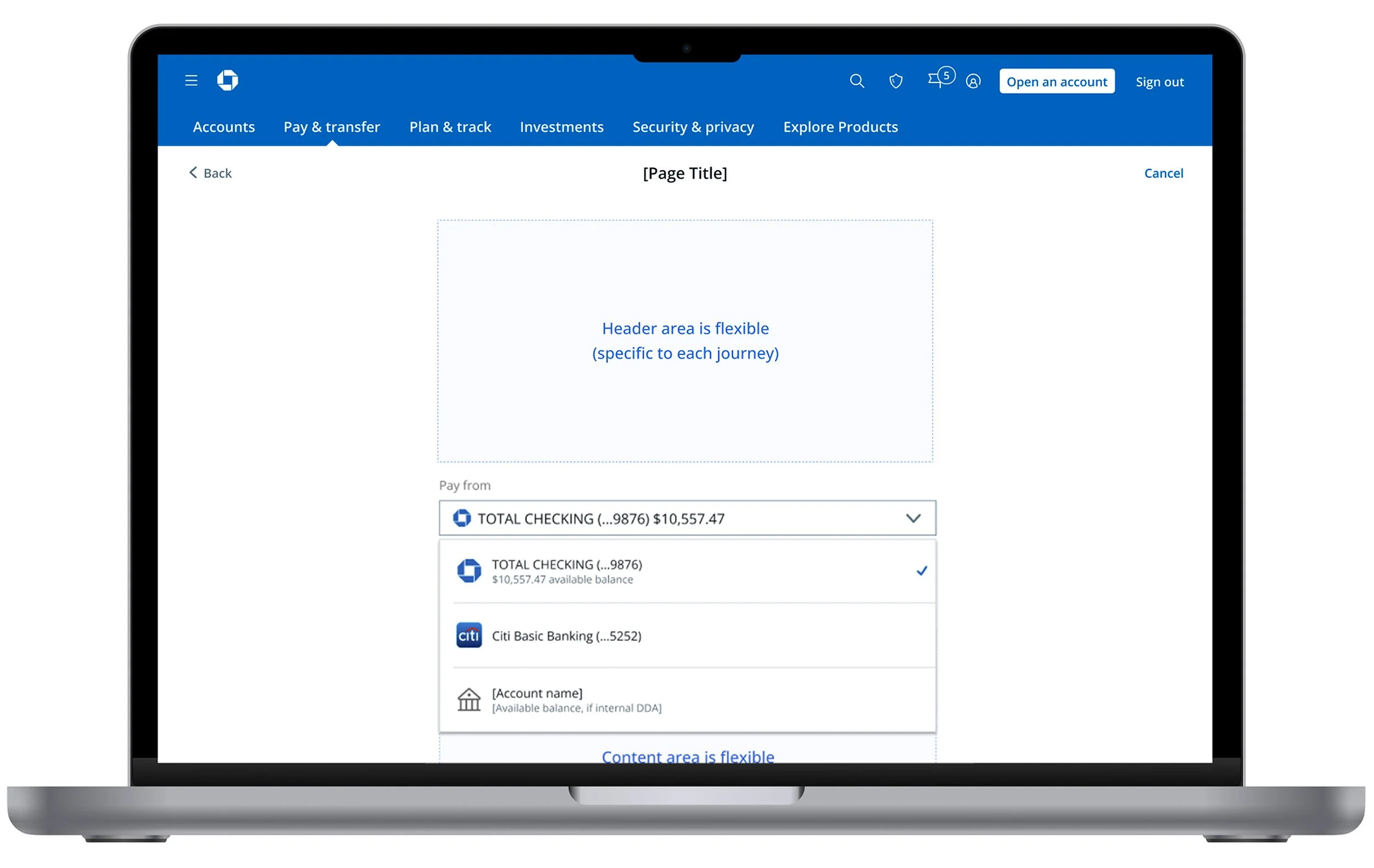
Select Modality Used When:
- Users benefit from selecting their payment method alongside the amount entry, with account balance visible for informed decision-making
- A full new page would introduce unnecessary friction or cognitive load
- Users consistently select the same account and are unlikely to change their payment behavior
- A streamlined, efficient payment experience is the goal
04 — Chase Experiences
Chase Experiences: the first SafePay integration in commerce.
Chase Experiences was our first opportunity to integrate SafePay into a Chase commerce journey—covering the end-to-end flow for card members discovering and booking Chase-hosted lifestyle events. It was the proving ground for the entire integration model, running in parallel with the Banking Payment workstream.
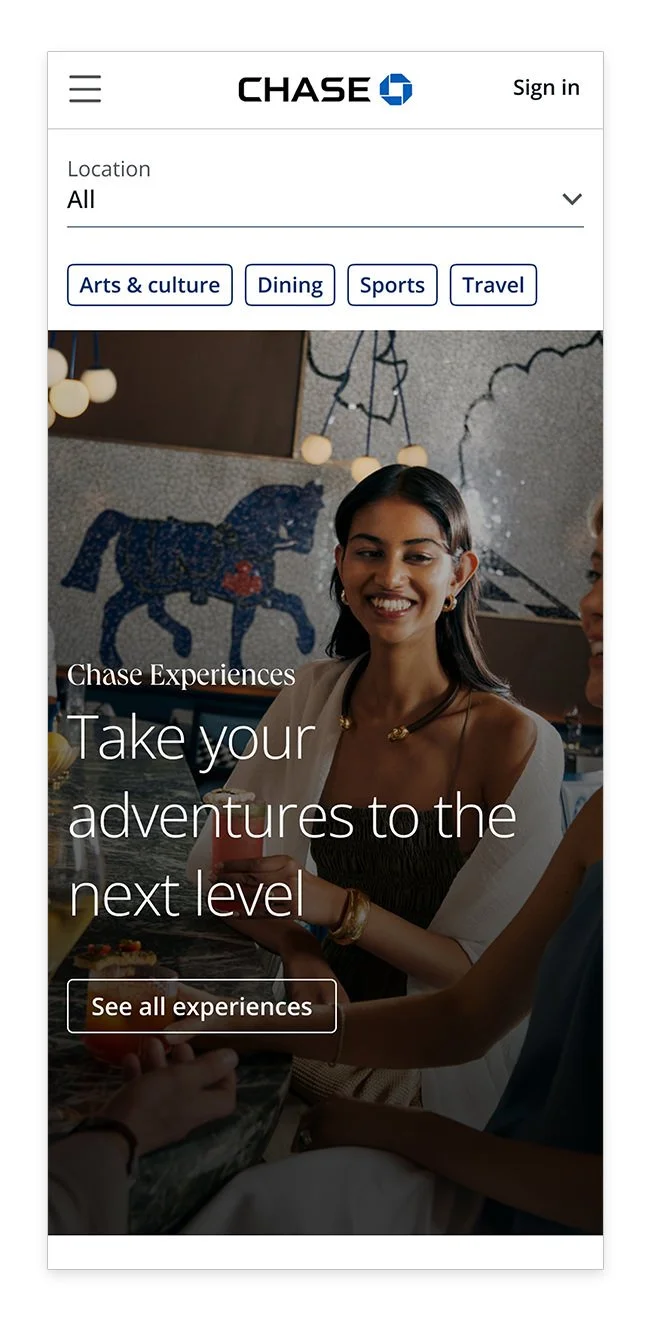
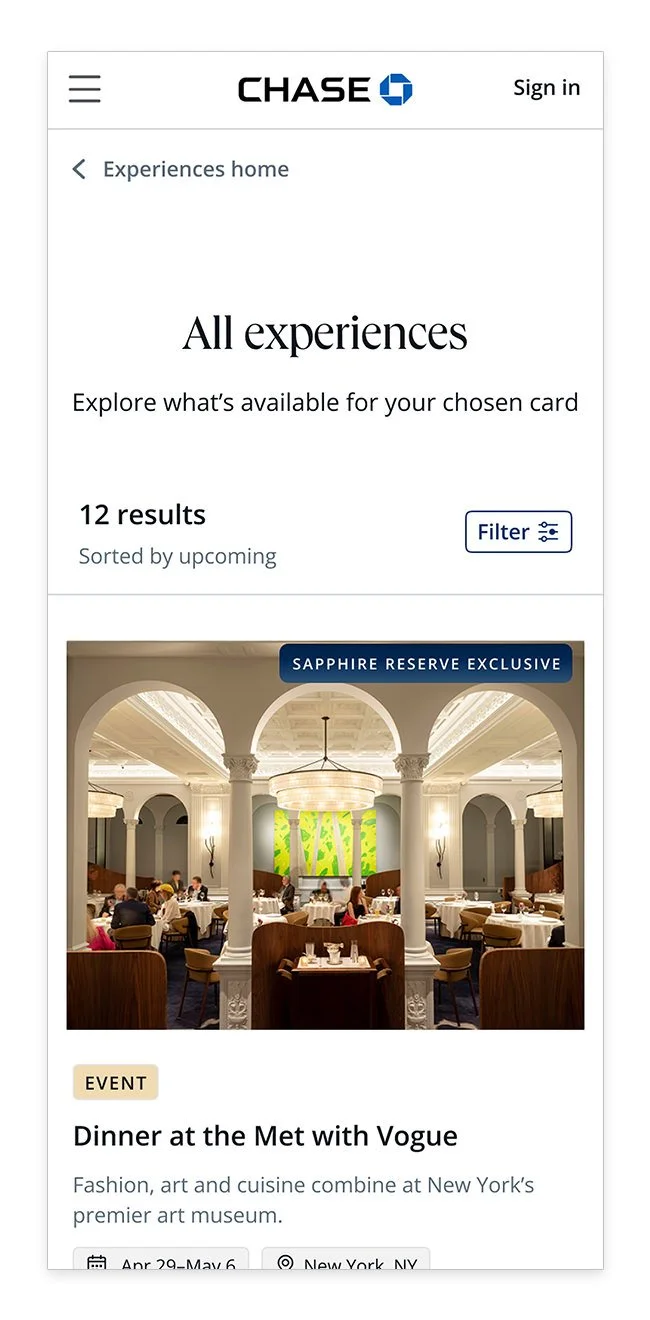
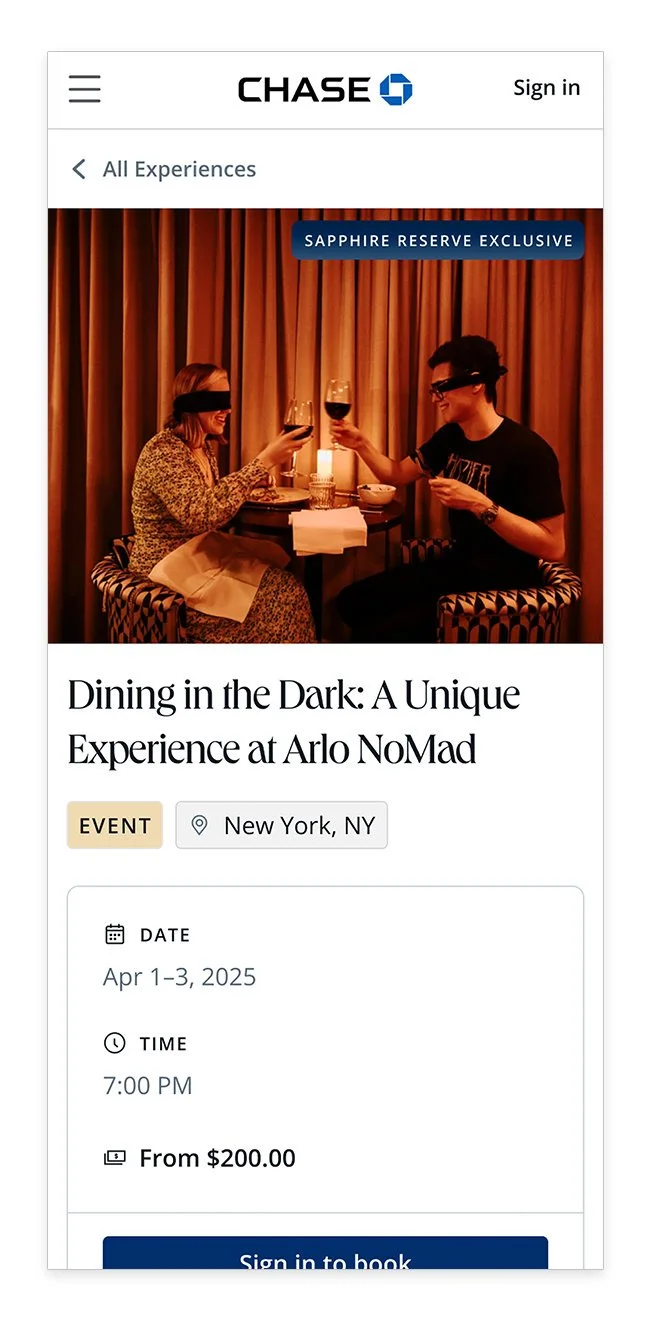
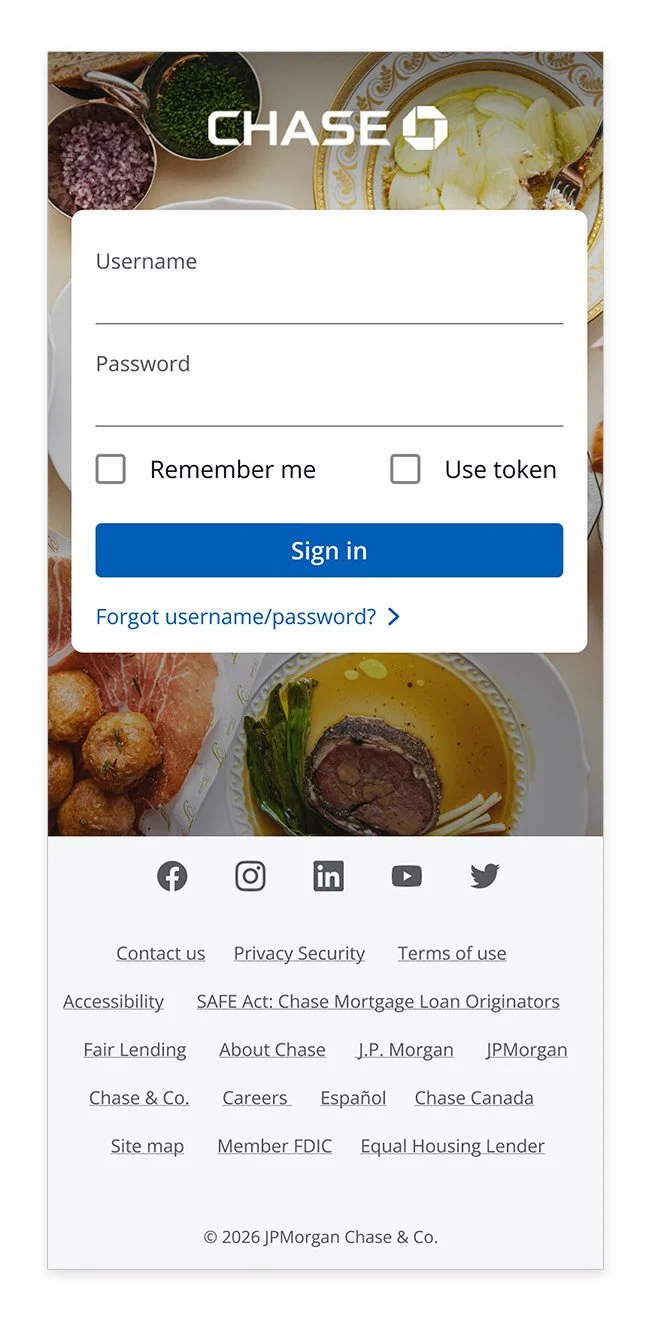
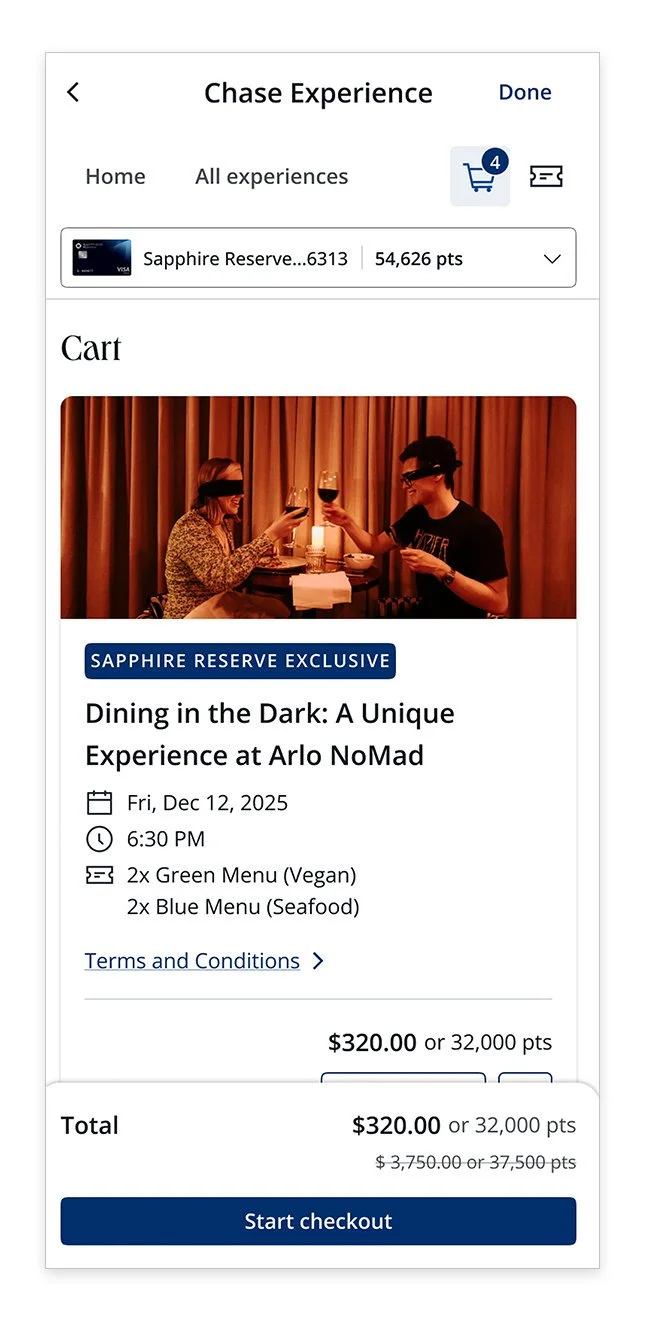
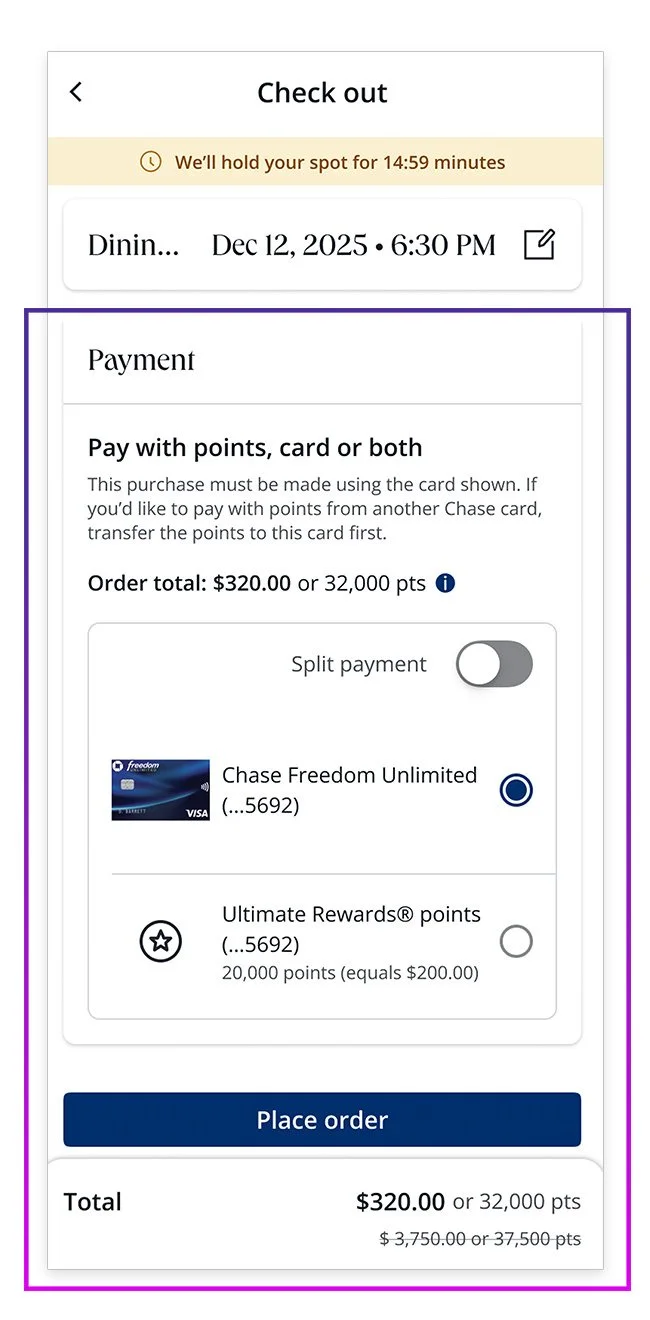
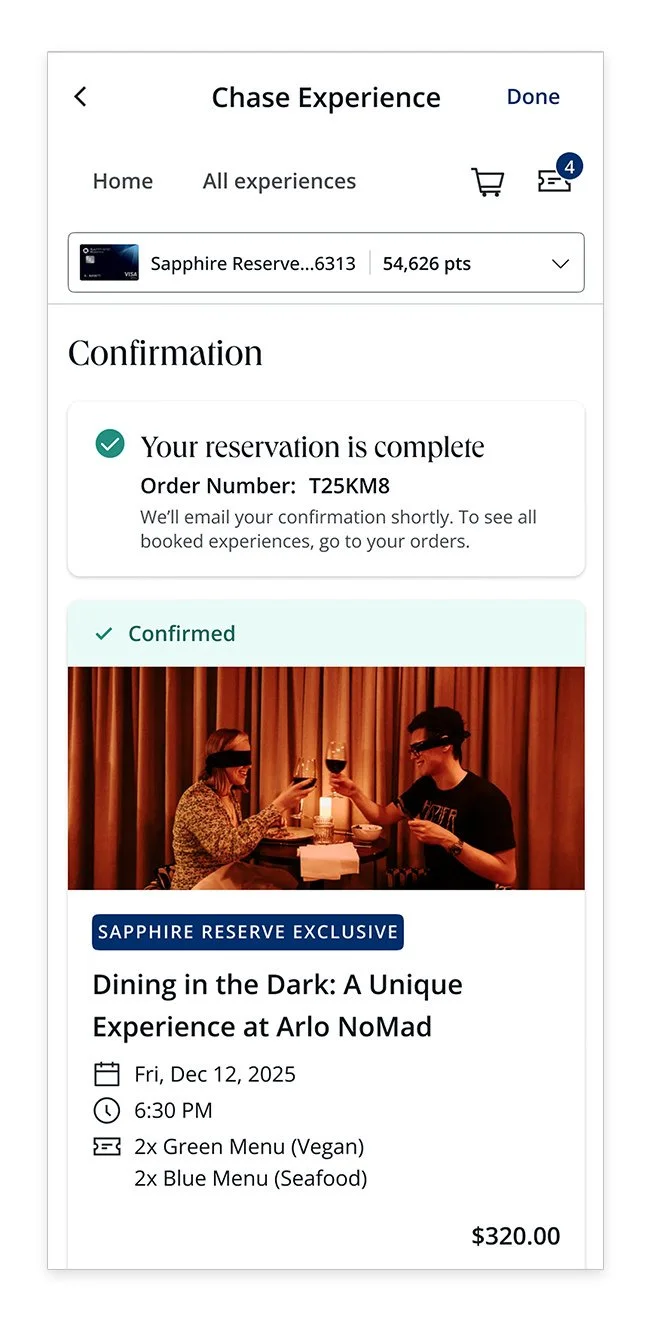
The diagram below maps the complete booking journey end to end. Free events route directly to confirmation—paid events pass through SafePay (highlighted in purple) as the critical payment touchpoint.

Review & Evaluate
Working closely with the Chase Experiences team, we conducted a thorough end-to-end review of the booking journey, identified the SafePay moment within the flow, and aligned on a clear MVP scope.
The MVP Scope
After a thorough end-to-end review of the booking journey, we identified the SafePay moment and aligned on a focused MVP that balanced ambition with delivery speed:
Pay in full using the card in context and Ultimate Rewards® points
Split payment between the card in context and points
Single card support at launch, with the architecture in place to scale to multiple cards post-MVP
Pre-SafePay: Chase Experiences checkout flow
The existing desktop checkout experience—reviewed end-to-end to identify exactly where and how SafePay could integrate most effectively.
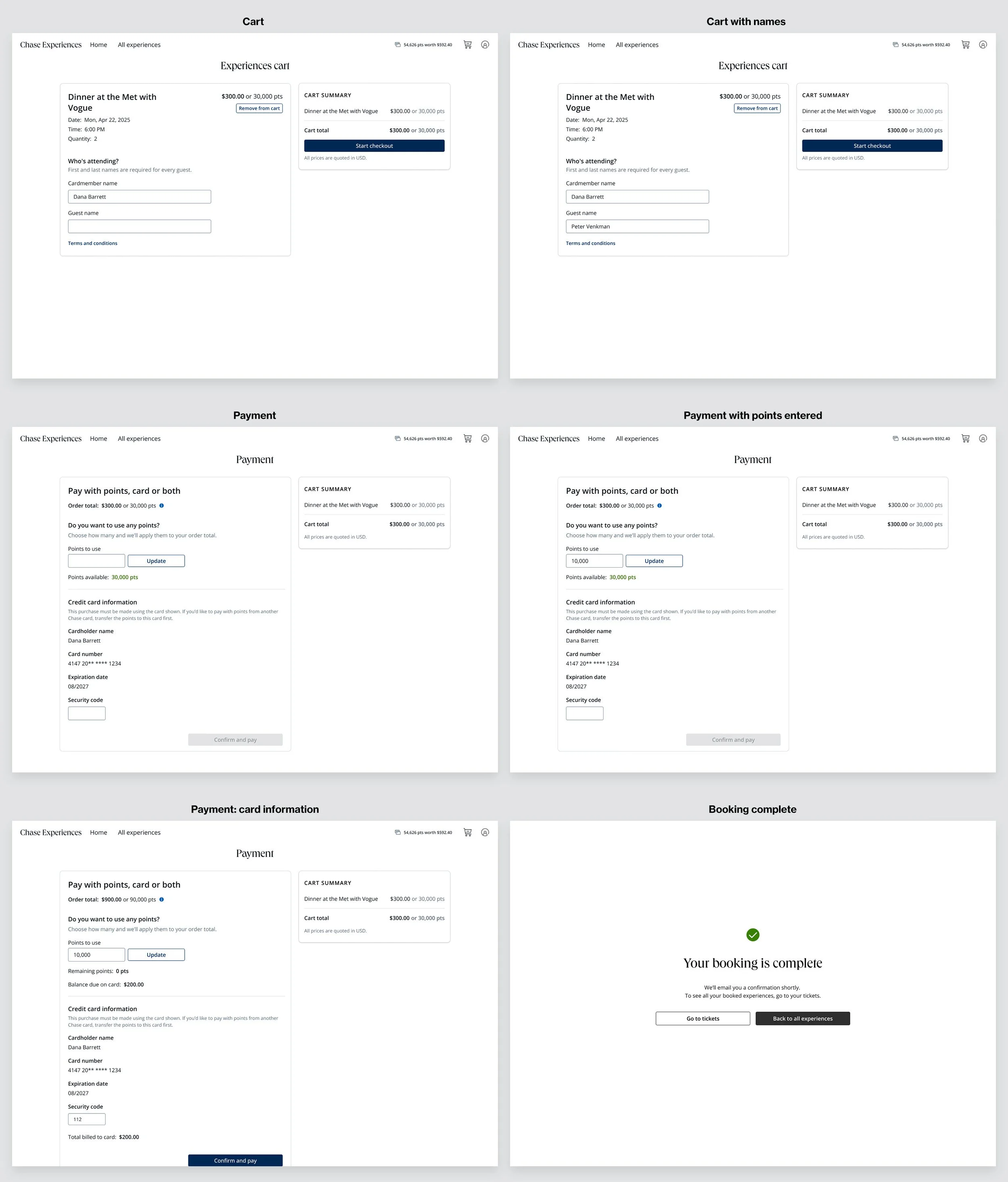
A New Payment Experience
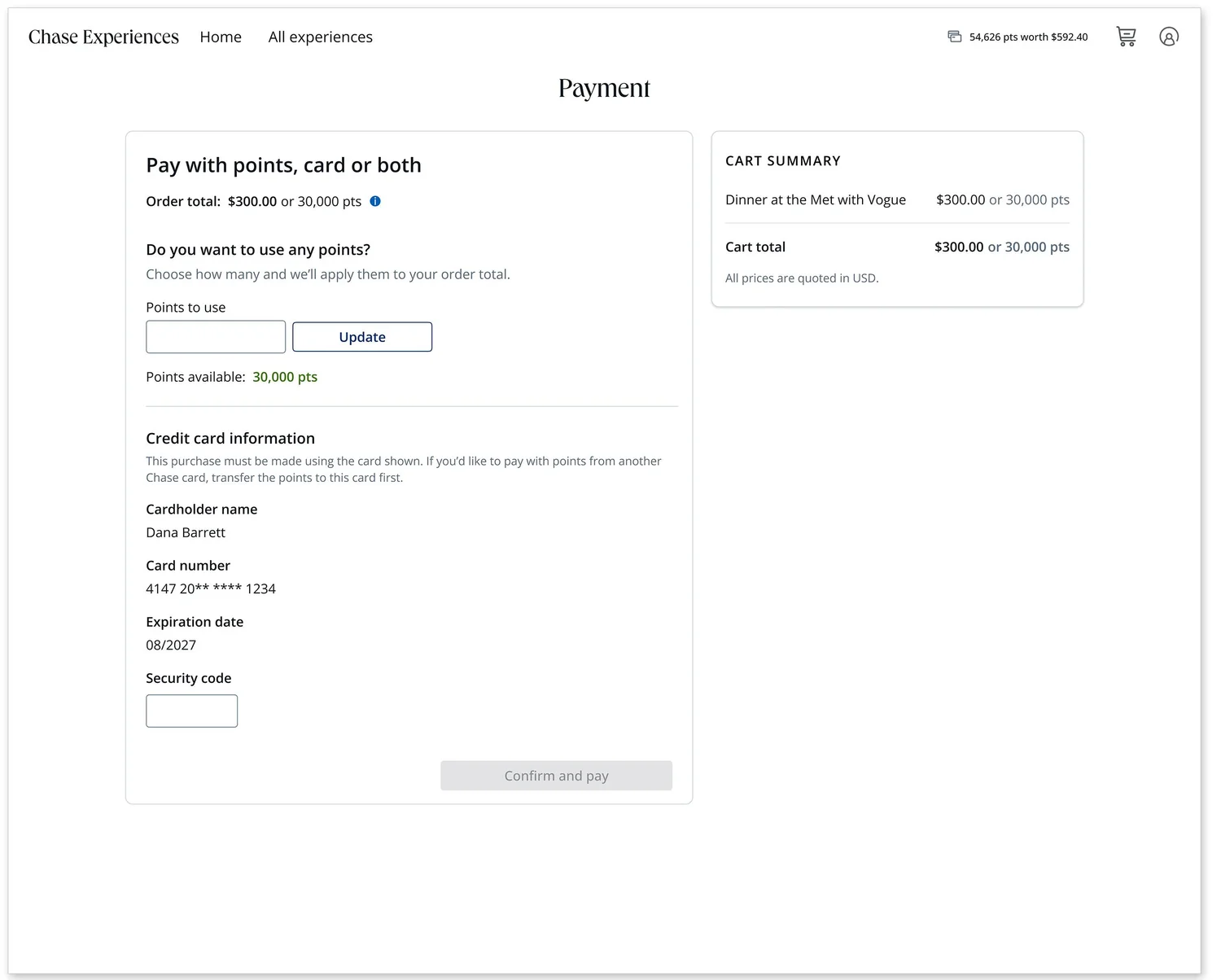
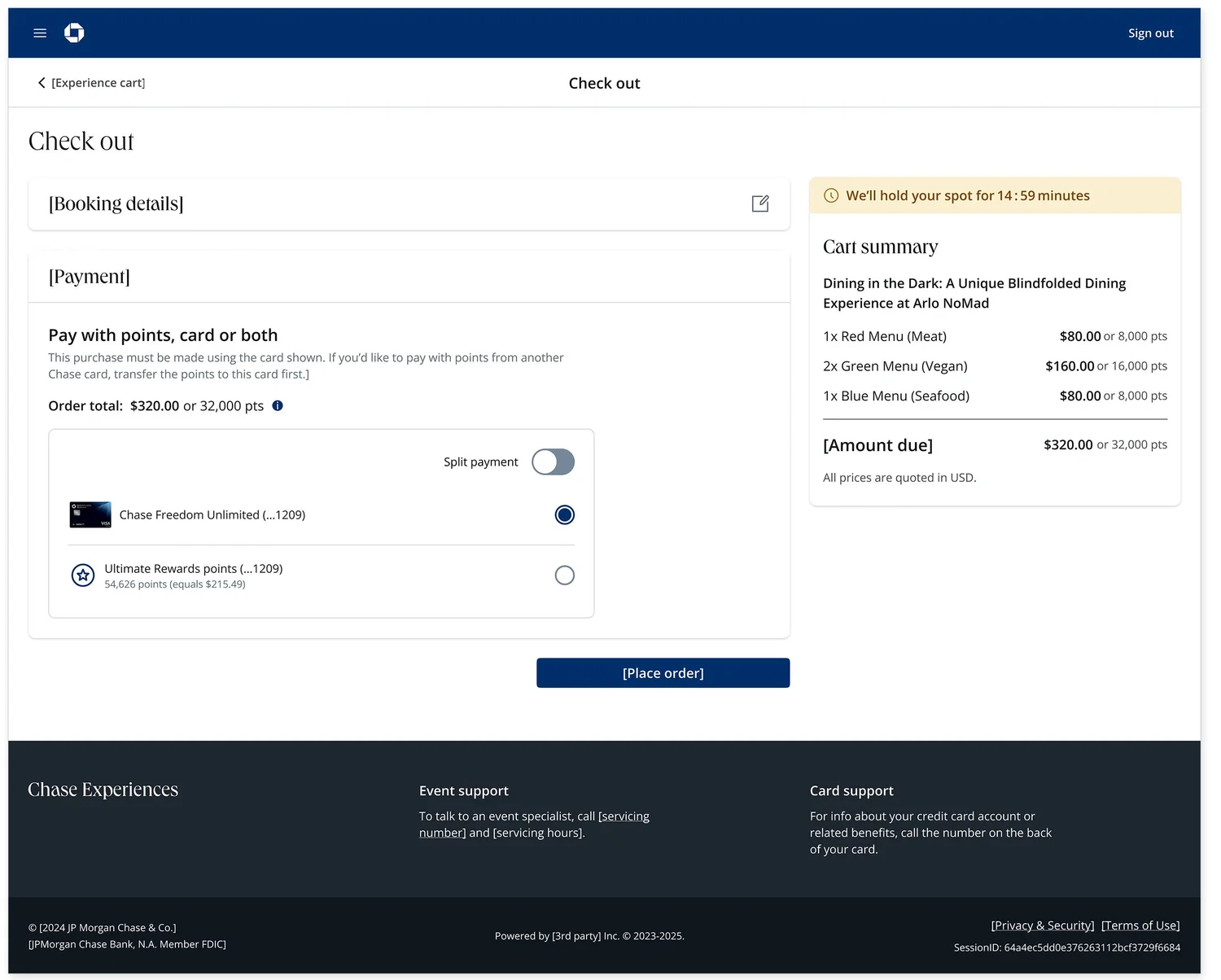
The transformation from the original payment experience to the SafePay Wallet UI represented a significant leap in both flexibility and usability. The original interface required manual card entry and supported only one card at a time, offering users little guidance through complex payment scenarios. The SafePay Wallet UI replaced this with a dynamic, scalable layout that surfaces multiple payment methods simultaneously, supports split payments between a card and Ultimate Rewards® points, and provides clear contextual guidance throughout the checkout experience.
Before — Original State
Manual card entry required every time
Only one card supported at a time
No split tender capability
Little guidance through complex payment scenarios
Disconnected from the broader Chase payment ecosystem
After — SafePay Wallet UI
All payment methods surfaced simultaneously
Split payment between card and Ultimate Rewards® points
Clear contextual guidance throughout checkout
Architecture ready to scale to multiple cards
Consistent with SafePay across all Chase journeys
Before—Original State
After—SafePay Wallet UI
Additional Support
Beyond delivering UI components, our team provided comprehensive support to the Experiences team. This included sharing research findings, implementing detailed error scenarios, addressing edge cases with ADA-aligned guidance, and holding recurring syncs to drive ongoing solutioning. This holistic approach ensured the team was prepared for development.
1
Commerce Integration
10+
Banking Journeys
Chase Experiences proved the model. Now we had to scale it.
05 — Banking Payment Journeys
Aligning 10+ banking payment teams around a single wallet UI.
Running in parallel with Chase Experiences, we tackled the larger challenge: integrating SafePay into Chase’s Payment Design Library (PDL)—the shared design system for all banking payment flows, built on top of the Manhattan Design System. This meant aligning every banking payment journey team simultaneously.
Some of the journeys that adopted SafePay included:
Zelle
Pay with Zelle
Pay Chase Card
Pay Chase Home
Pay Chase Auto
Pay Chase Biz Lending
Transfers
Bill Pay
Wires
Pay Chase Pi4
The Challenge
Despite strong platform decisions validated through audits and stress testing, SafePay UI adoption across banking payment journey teams was low—driven by limited journey team engagement, component mismatches, and an unclear articulation of SafePay’s value.
The Approach
Rather than retrofitting SafePay into existing flows, we designed a 3-step process to understand journeys first—then integrate purposefully.
1
Step 1
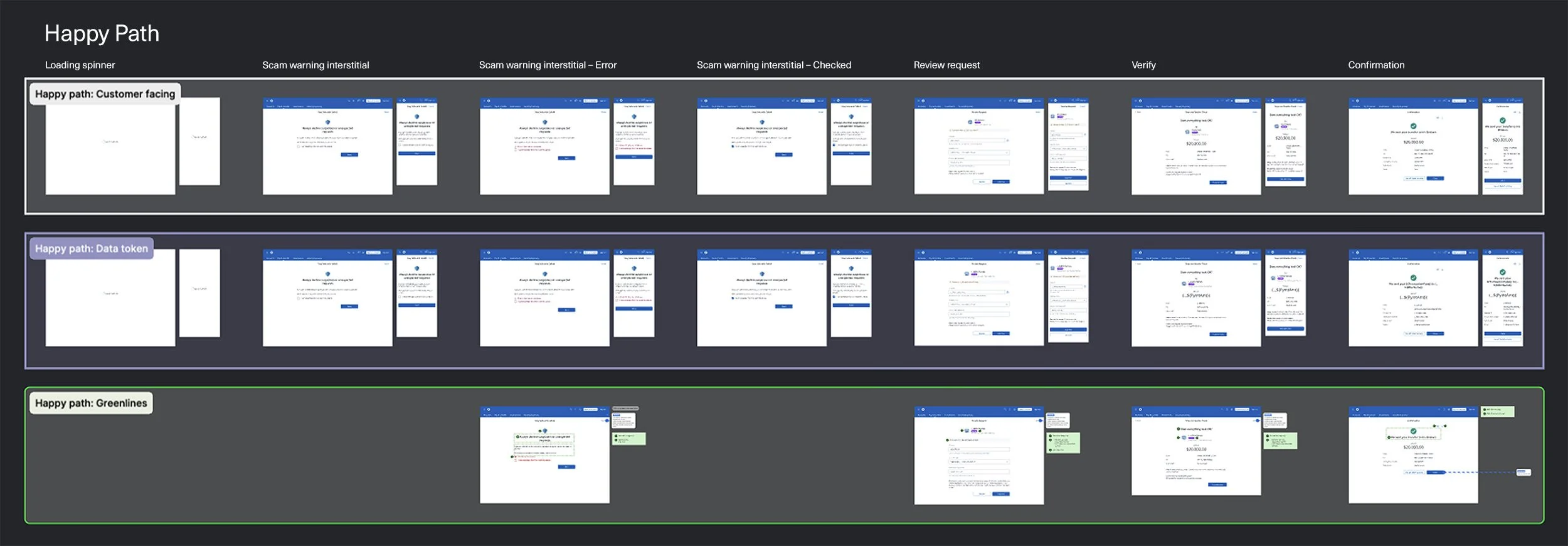
Mapped end-to-end journeys
Working closely with each journey team, we documented the complete user flow from entry to completion—including happy paths, error states, and edge cases. This gave us a clear picture of where SafePay would live within each experience before any design decisions were made.
2
Step 2
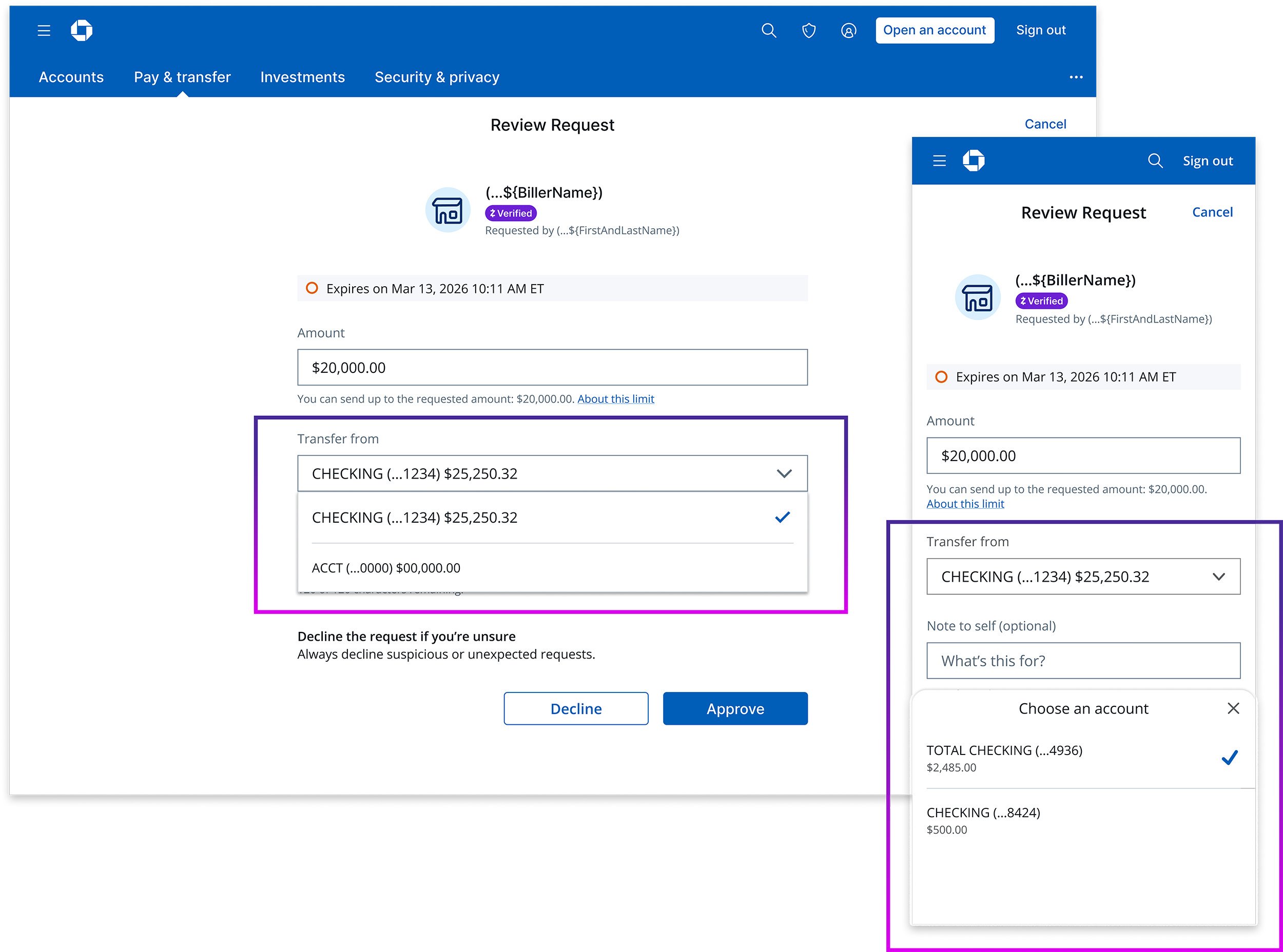
Identified the SafePay moment
We pinpointed the exact moment in each journey where users interact with payment methods. This “SafePay moment” became our focal point—the place where integration would add the most value, and where the wrong modality or component choice would create the most friction.
3
Step 3
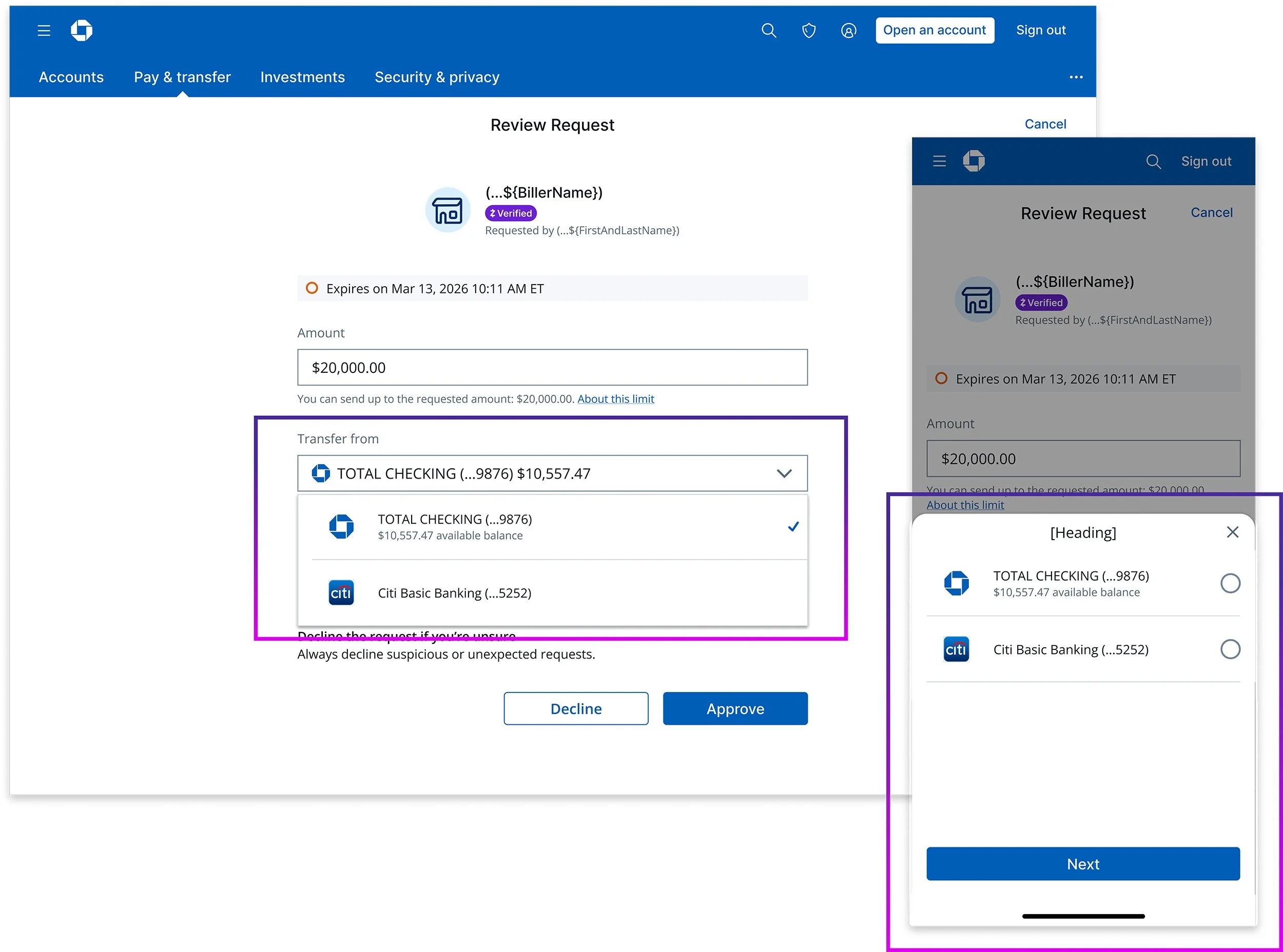
Applied SafePay patterns
With the SafePay moment identified, we applied the appropriate UI patterns—selecting the right modality, components, and configurations for each journey. This surfaced gaps in the existing component library and revealed opportunities to create a more consistent payment experience across Chase.
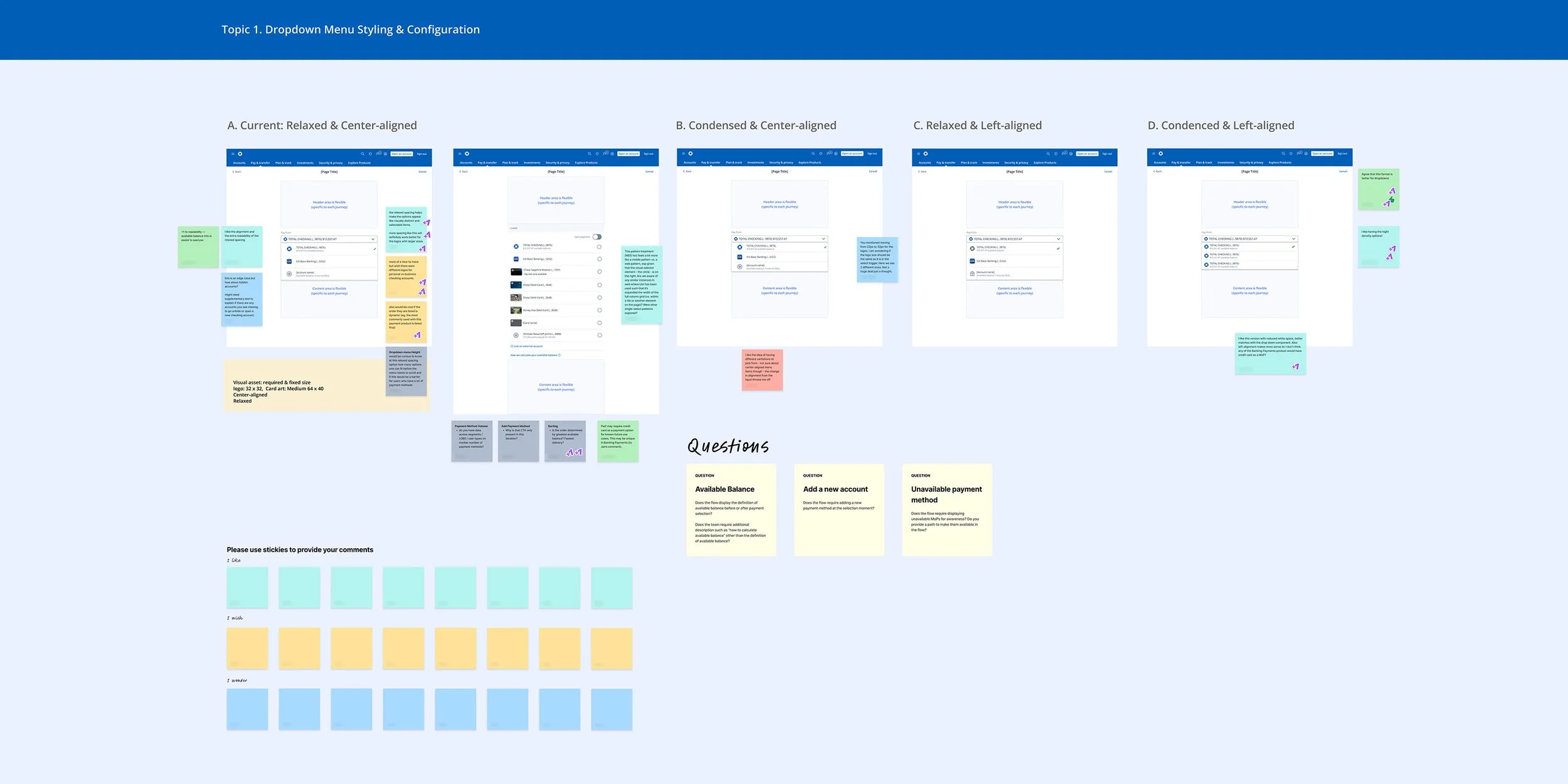
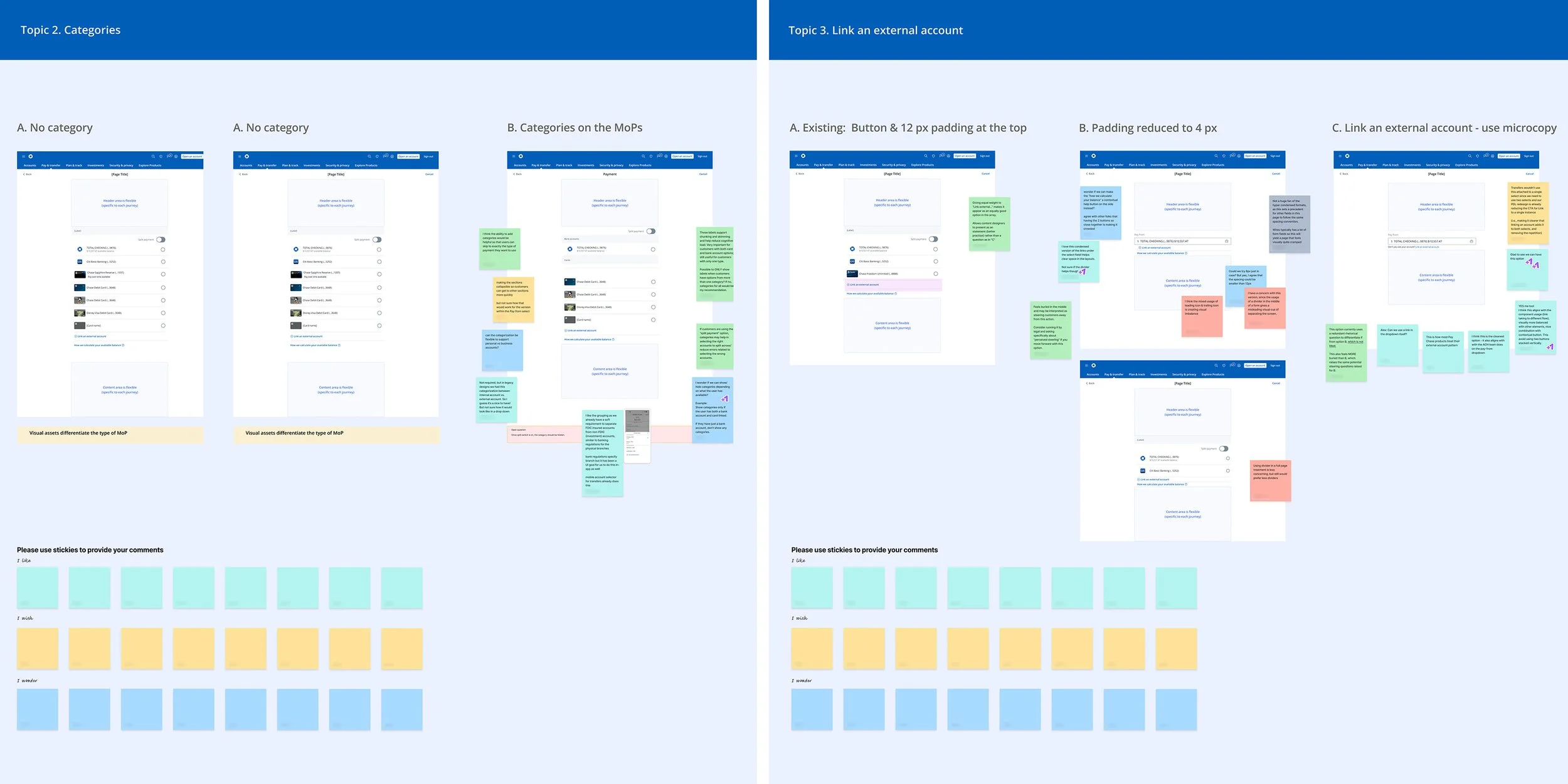
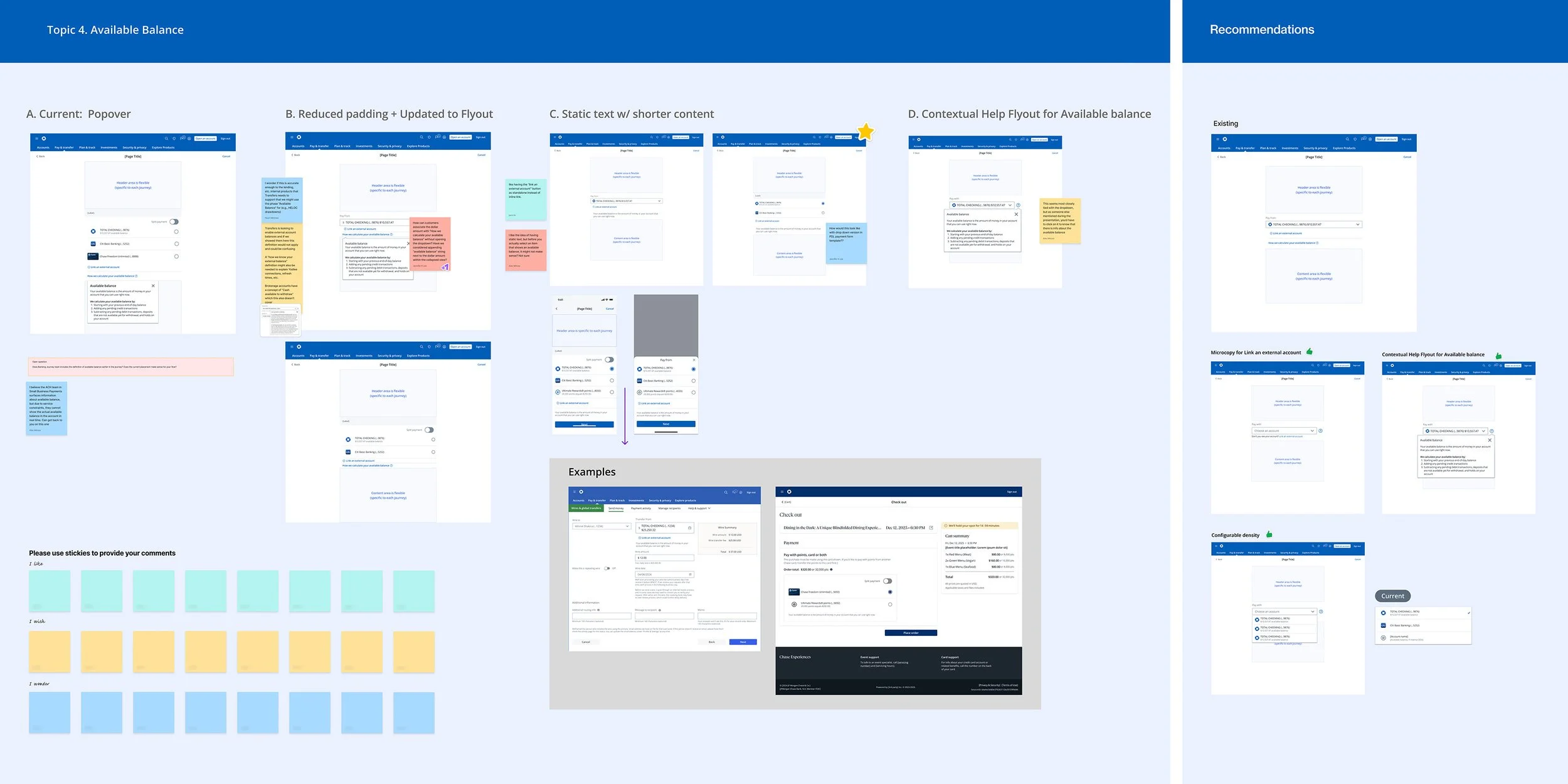
Four UI decisions that unlocked alignment
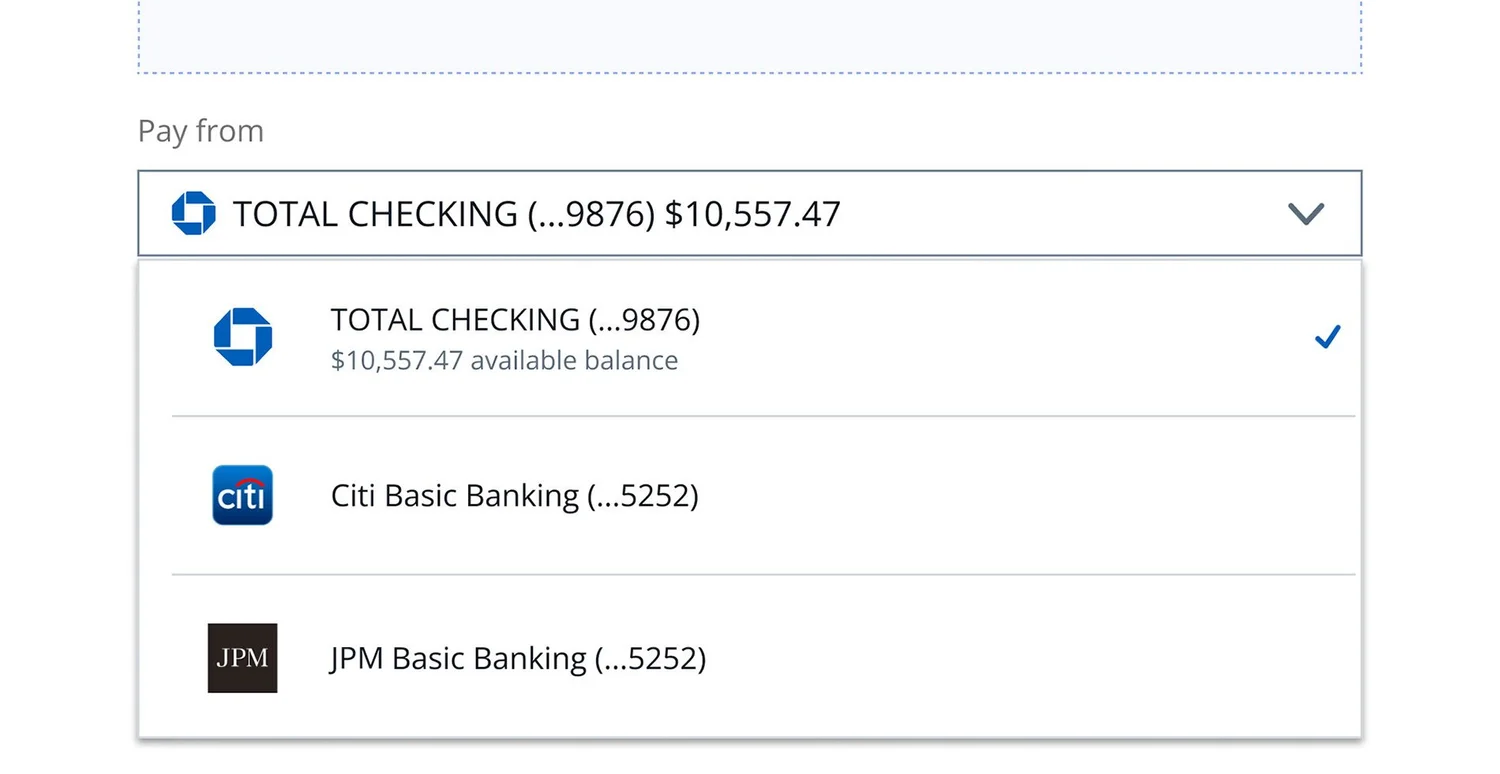
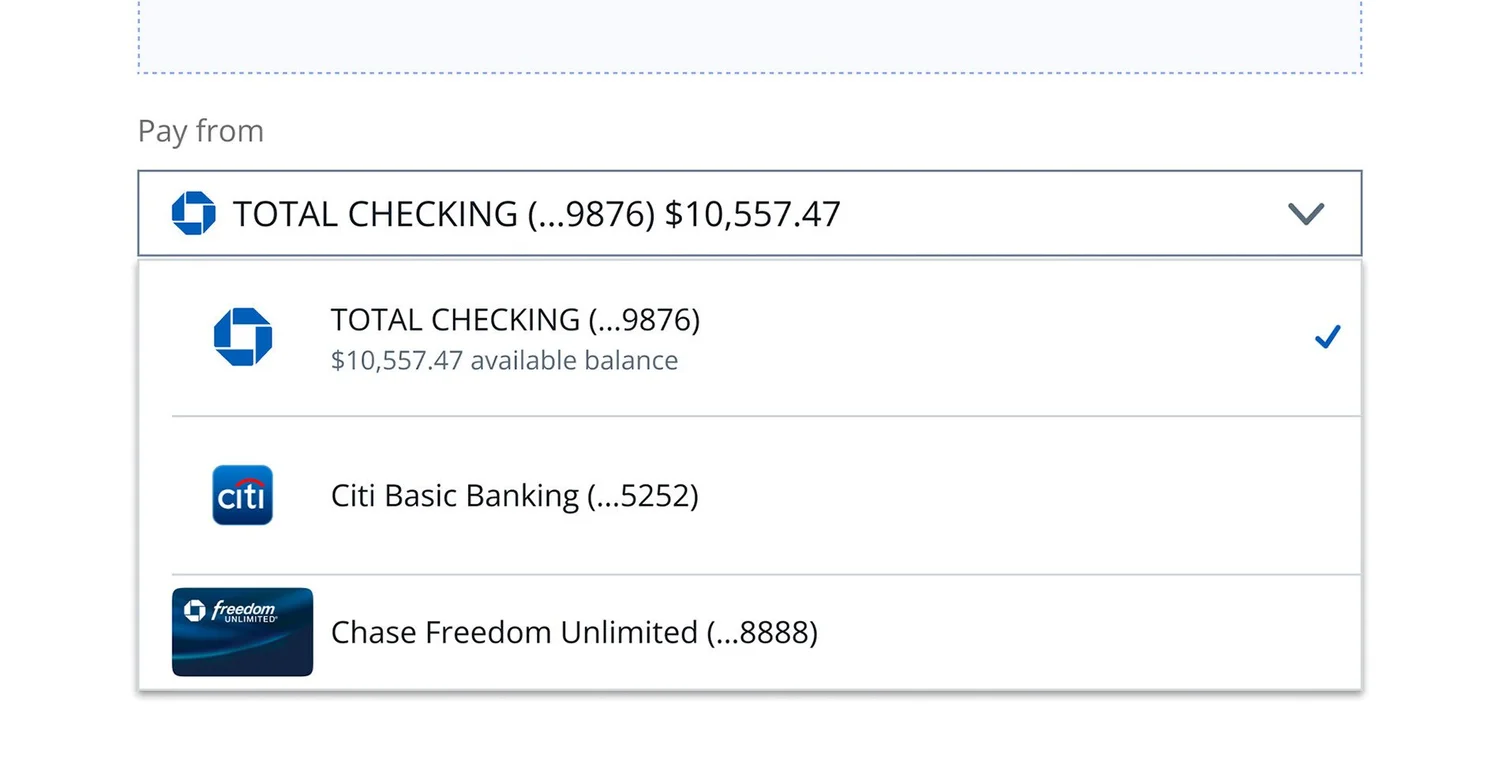
Through our cross-team analysis, we narrowed the open questions to four UI decisions blocking SafePay integration. We resolved each through a structured workshop with banking payment journey designers and the PDL team—using structured design options, sticky-note qualitative feedback, and dot-voting on priority, converting competing opinions into collaboratively aligned, documented decisions.
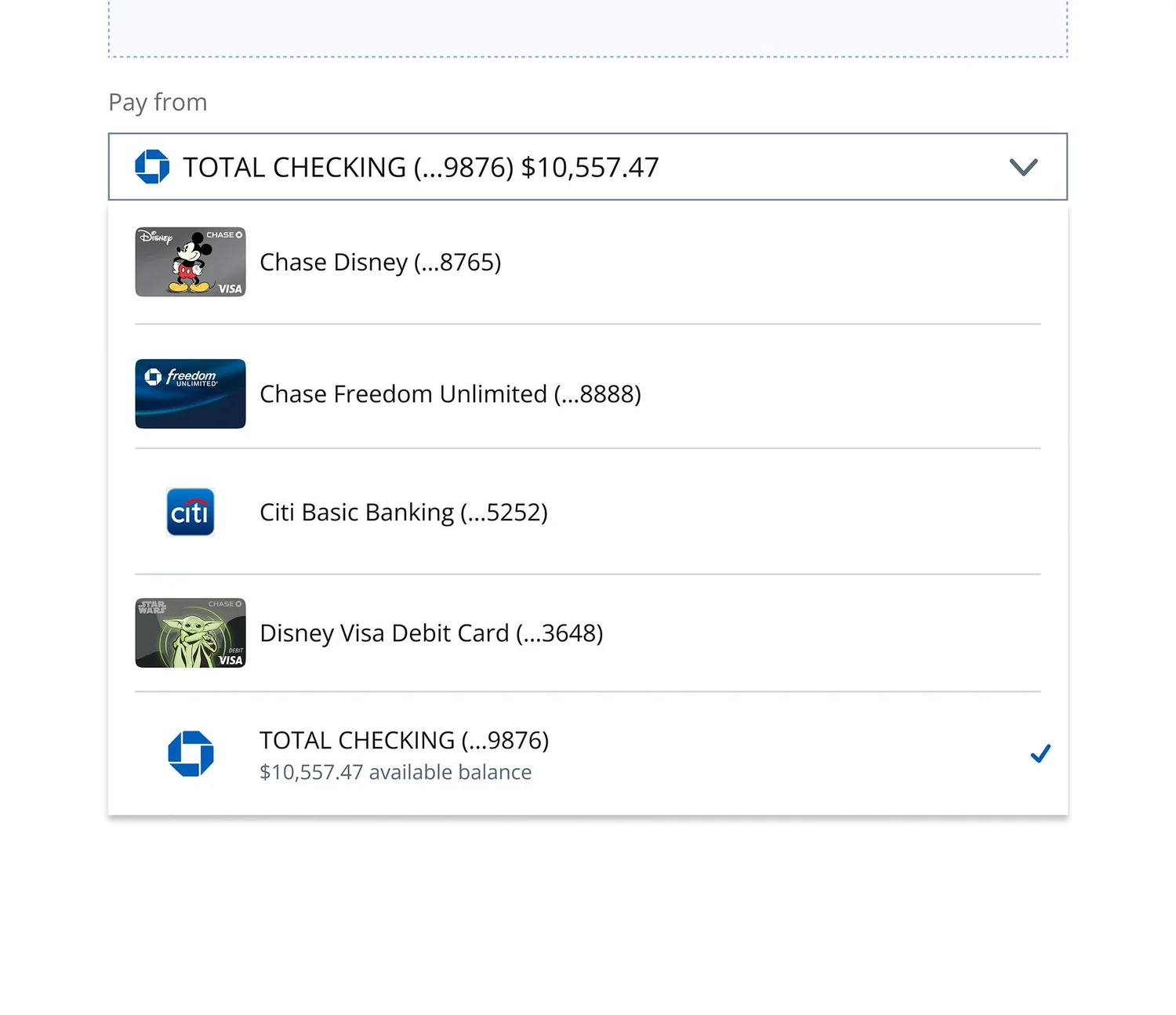
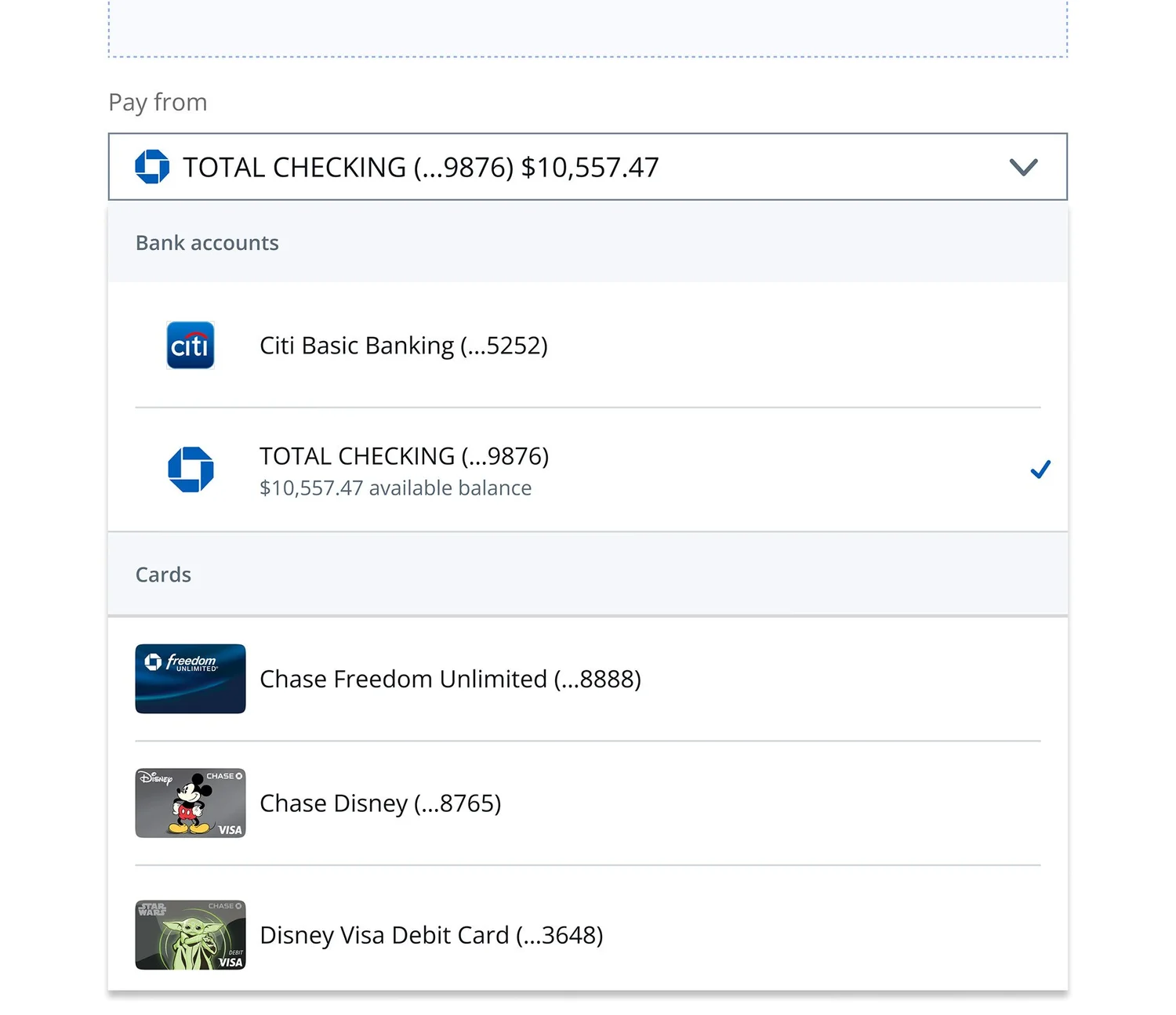
The Result
Previously resistant teams became active advocates once they were directly involved in the decision-making process. The four UI decisions were validated in a final prototype—showing all decisions working together in a real banking journey context—and SafePay UI components were successfully adopted into Chase’s Payment Design Library, establishing a scalable integration path for all future journeys.
Additional Support
Beyond delivering UI components, our team provided comprehensive support to journey teams—sharing research findings, implementing detailed error scenarios, addressing edge cases with ADA-aligned guidance, and holding recurring syncs to drive ongoing solutioning. This holistic approach ensured teams were prepared for development.
Impact
Alignment
100%
Journey teams across Banking Payments reached full agreement on SafePay + PDL integration—including previously resistant teams who became active advocates.
Coverage
10+
Payment journeys evaluated, aligned, and integrated across both Banking Payments and Commerce platforms simultaneously.
Adoption
PDL
SafePay UI components adopted into Chase’s Payment Design Library, establishing a clear and scalable integration path for all future journeys.
Process
A reusable cross-team alignment model established, improving design, product, and engineering communication across Chase.
06 — Reflection
What I learned.
“The core challenge was never design—it was adoption. And solving adoption required reframing SafePay’s value before redesigning its UI.”
When I joined, the instinct was to treat this as a UI problem. But the resistance from journey teams wasn’t about the components—it was about trust and relevance. Teams hadn’t been involved early enough, and SafePay’s value had never been translated into their language.
The structured alignment process we built—deep-dive reviews, design workshops, documented decisions—wasn’t just a project management tool. It was the product. By making teams part of the solution, we turned blockers into advocates and created the conditions for genuine, lasting adoption.